Free · macOS 12 or later · Apple Silicon & Intel

Windows 11 File Explorer,
at home on your Mac

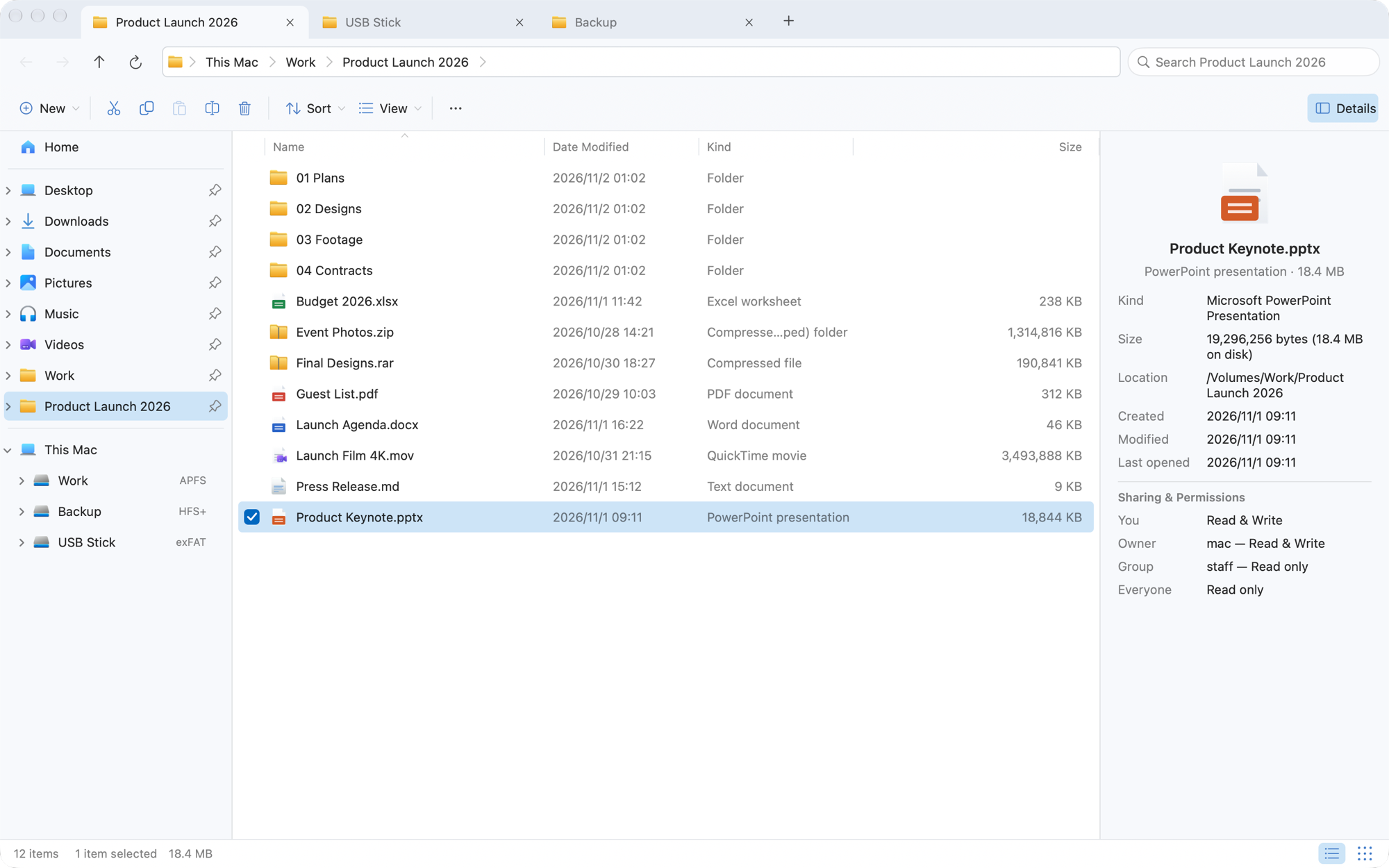
Tabs, the navigation pane, an address bar you can click or type into, the Windows 11 context menu — and F2, Delete and Ctrl+Z exactly where your fingers expect them.

No accountNo in-app purchasesNo third-party ads

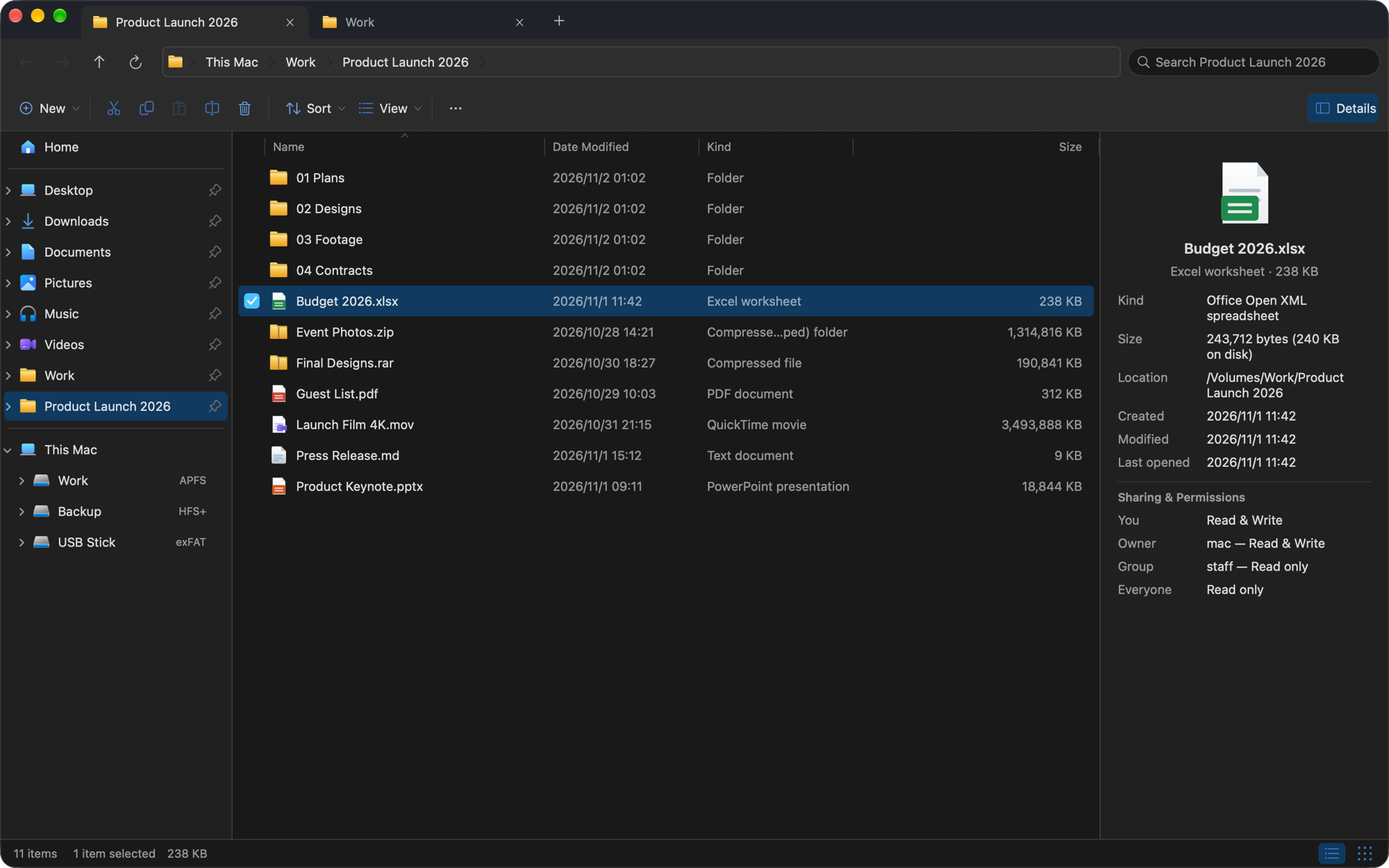
CrossDriver Files with three tabs, the navigation pane, the address bar and the details pane
  • ⌘Windows shortcuts
  • ☰Win11 context menu
  • ⇪RAR & 7z extraction
  • ↶50-step undo
  • ⛨Safe copy & move
  • 16languages
Made for people who came from Windows

Everything where you left it

CrossDriver Files keeps the layout and habits you already have, and adds the safety you'd want from a tool you use a hundred times a day.

Context menu

Right-click. RAR, unpacked.

The Windows 11 context menu, icon row and all: Cut, Copy, Rename and Delete on top, then the commands you use every day — and the rest tucked under “Show more options”.

  • Extract All for ZIP, RAR, 7z, tar.gz and more
  • Copy as path, Open in Terminal, Copy to, Move to
  • New Word, Excel and PowerPoint files that really open — plus your own templates
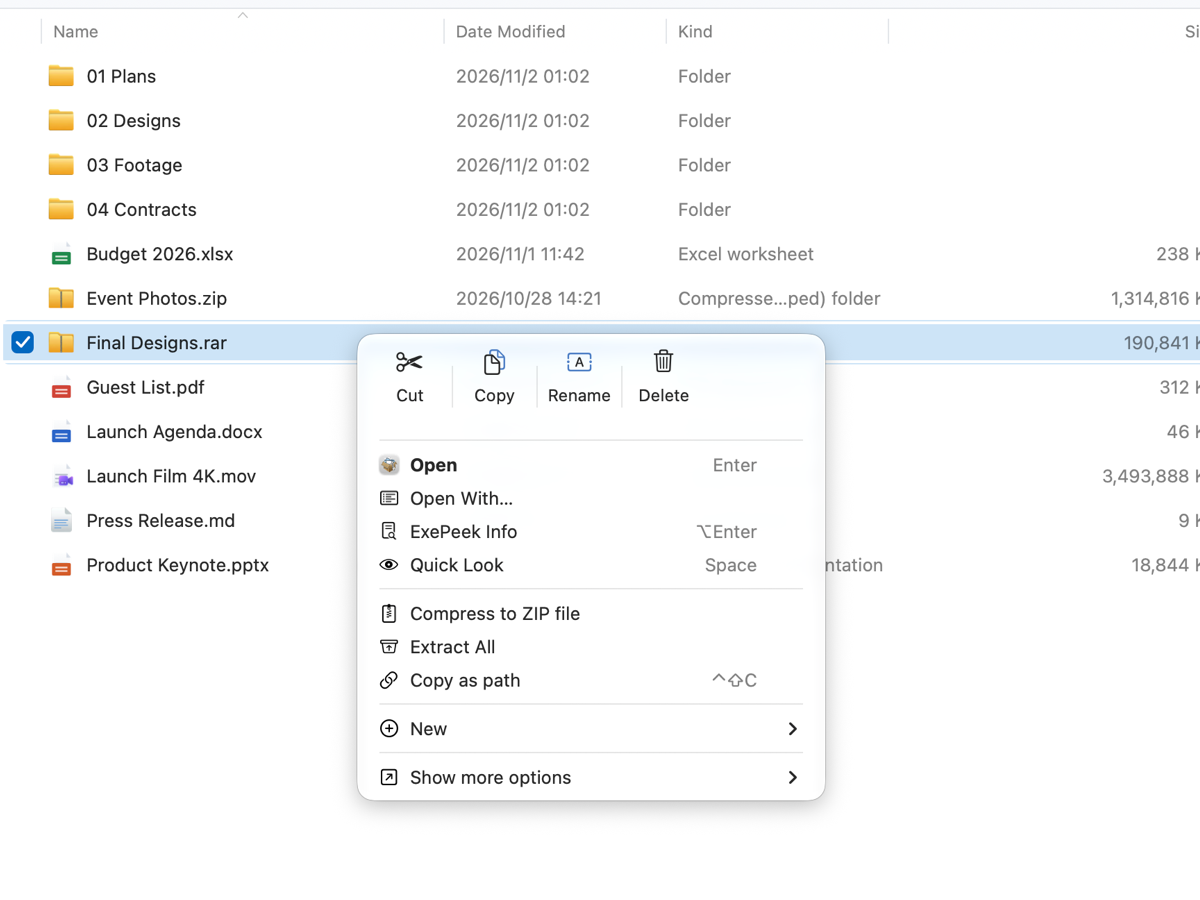
The Windows 11 style context menu on a RAR archive, with Extract All
Compress & extract

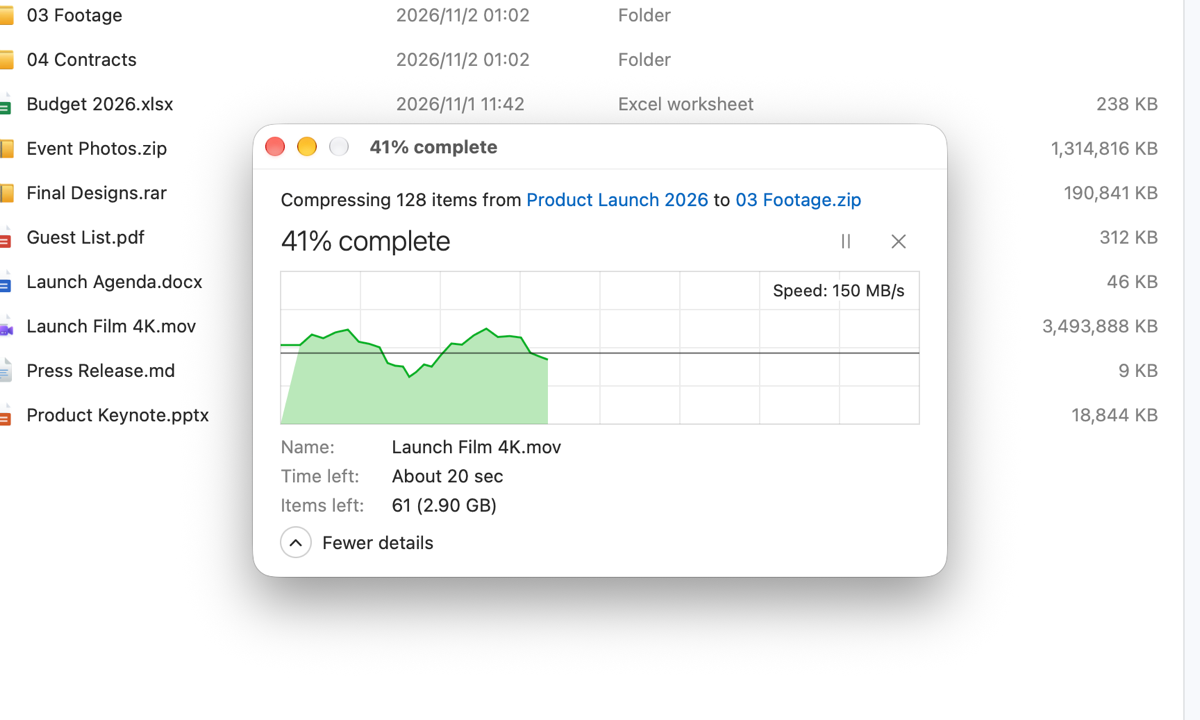
5 GB? Pause any time.

Big archives get the same progress window as big copies: a live speed graph, time remaining, pause and cancel. Cancelling leaves nothing half-done behind.

  • Uses the tools built into macOS — nothing extra to install
  • Standard ZIP64 above 4 GB, so archives open correctly on other computers
  • Never overwrites: new archives and folders get a free name
Progress window compressing a 5 GB folder with a speed graph
Safe by default

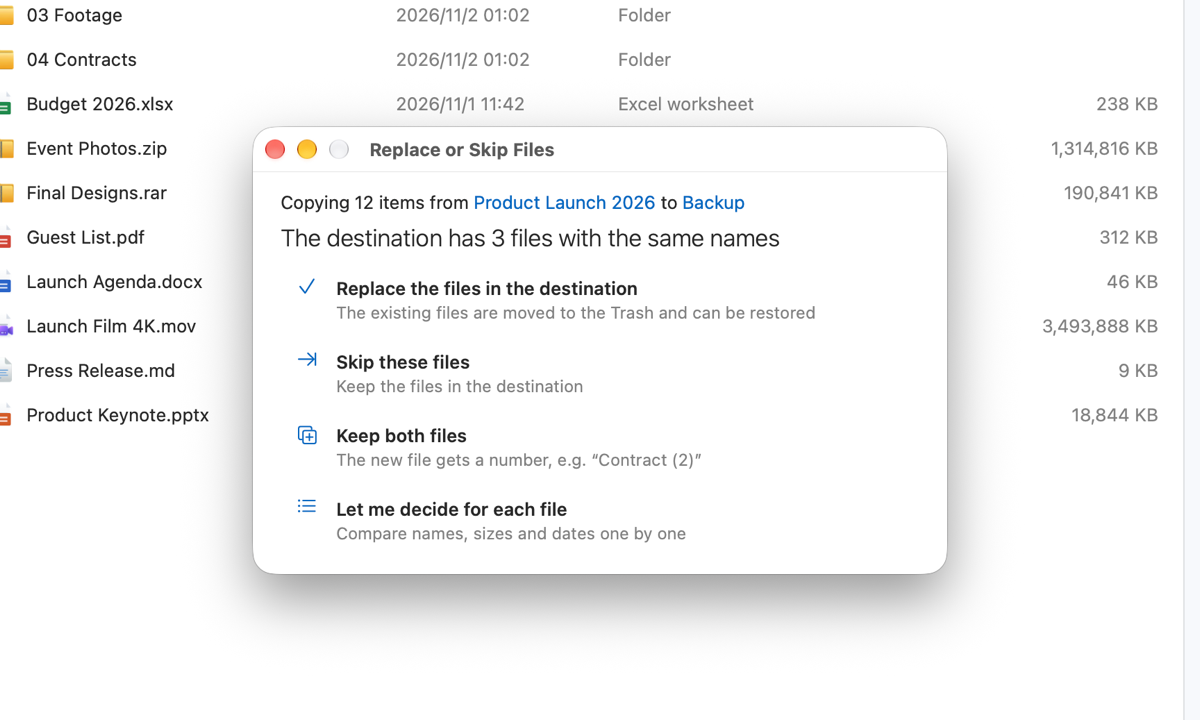
Same name? Replace, skip, or keep both.

The dialog you know from Windows — with a more careful twist.

  • Replaced files go to the Trash first, never overwritten in place
  • Moves across drives are verified before the original is removed
  • Delete asks first; Shift+Delete always asks before deleting for good
Replace or Skip Files dialog with four choices
Undo

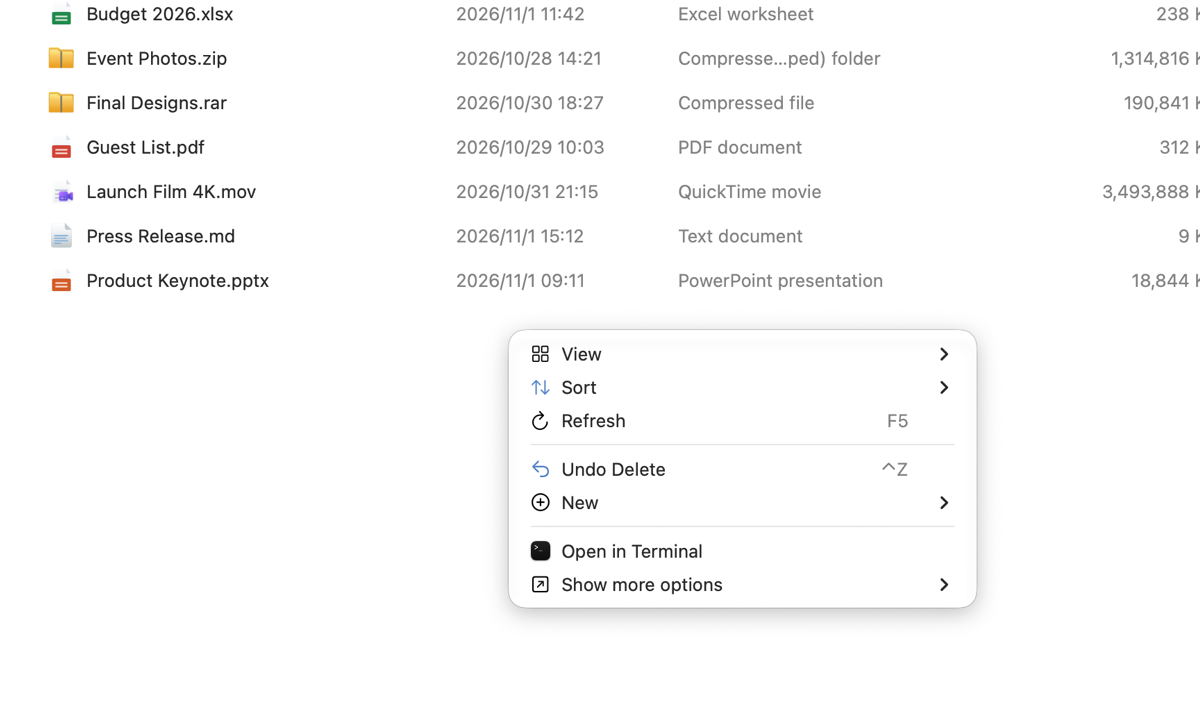
Oops? Ctrl+Z.

Undo and redo the last 50 copies, moves, renames, deletes and new items — shared by every window.

  • Undoing a delete puts files back exactly where they were
  • Undo never deletes anything for good
  • Files replaced by someone else in the meantime are left alone
Context menu offering Undo Delete
Built-in ExePeek

See inside an .exe — without running it.

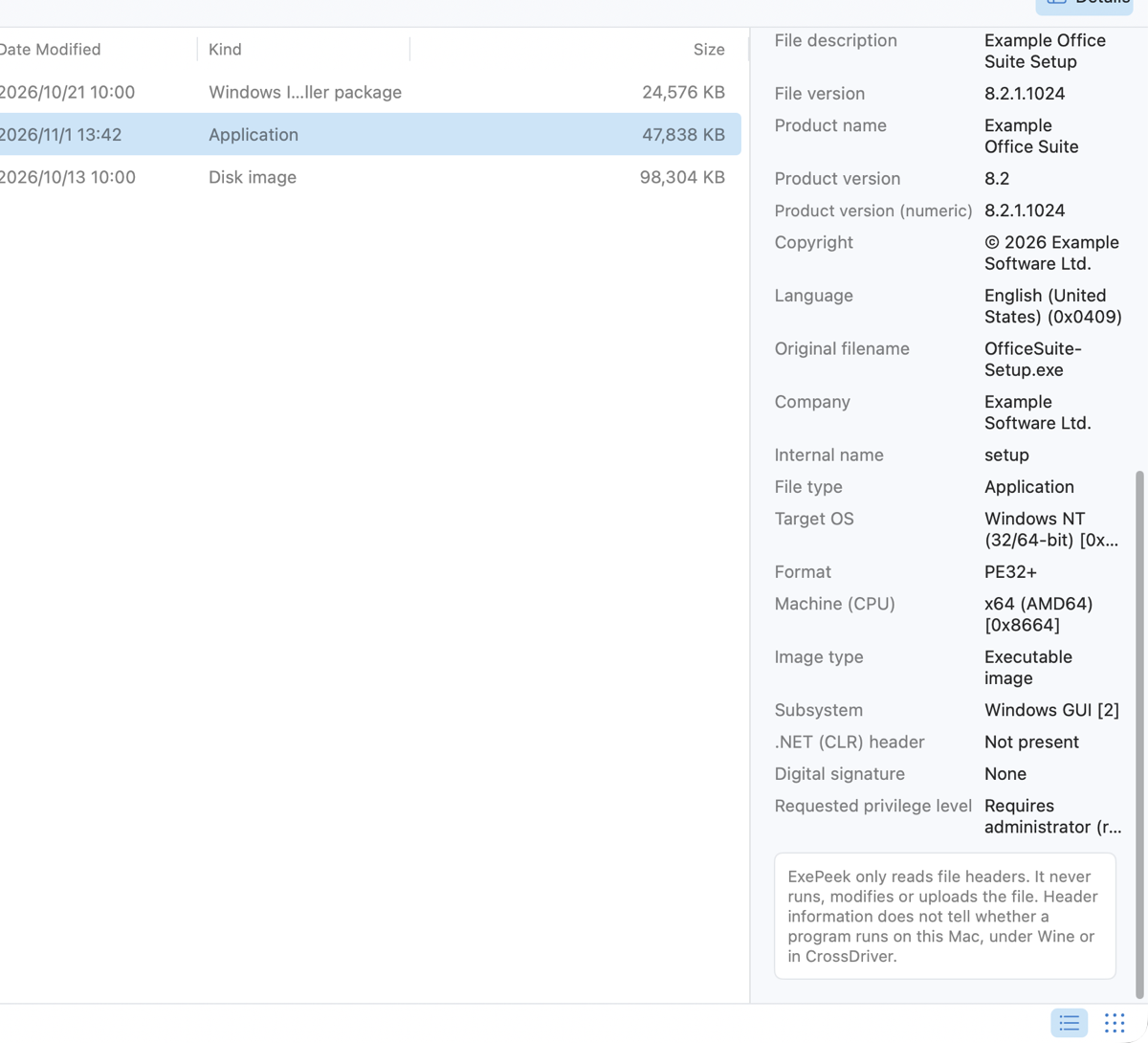
Select a Windows program and the details pane tells you who made it and what it wants.

  • Company, product, version, copyright and language
  • x86, x64 or ARM64; windowed or console
  • Asks for administrator rights? Digitally signed?
  • Read-only: files are never run, changed or uploaded
ExePeek information for an installer in the details pane
Home & drives

Desktop, Downloads, Documents — one click.

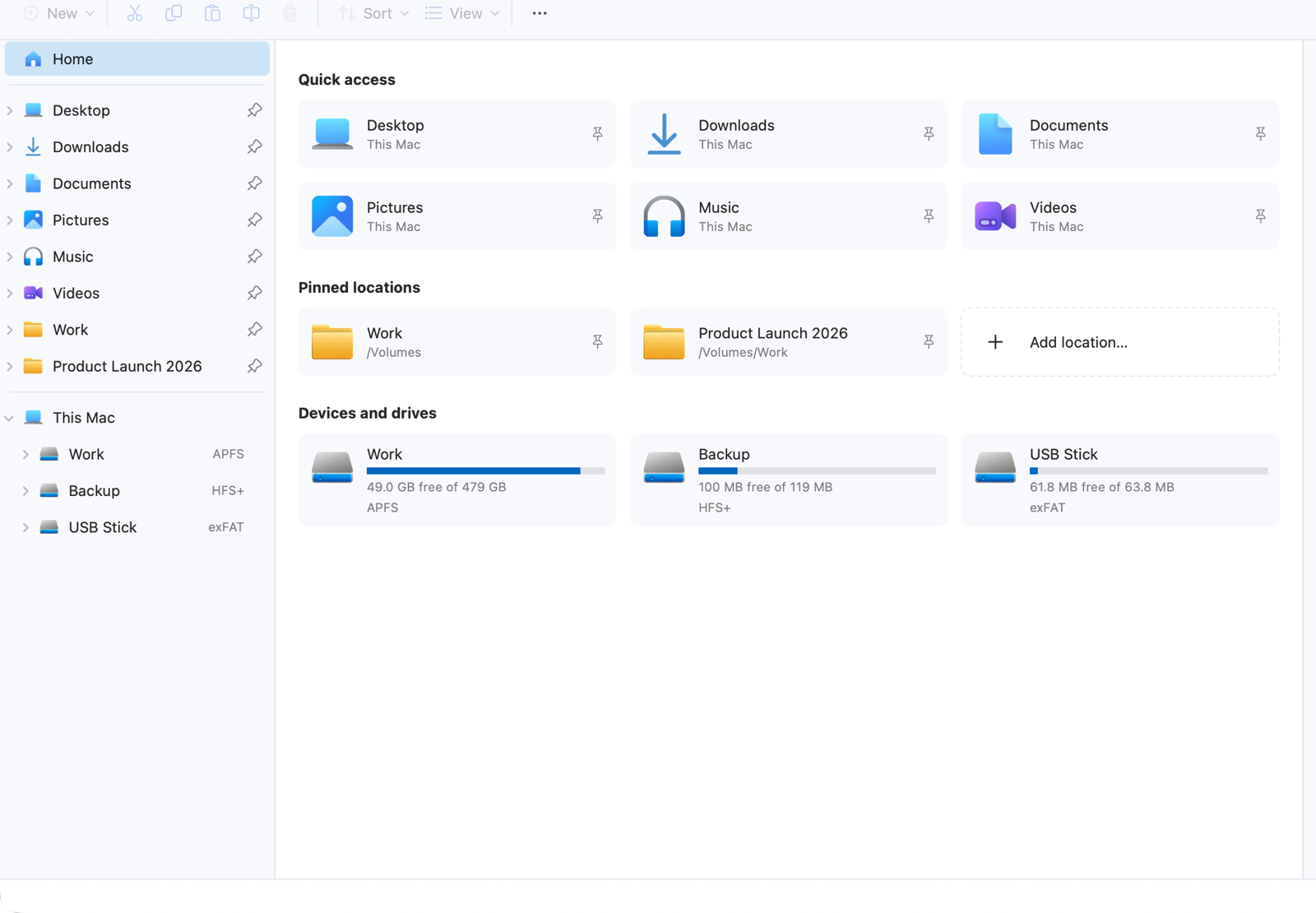
Quick access like Windows 11, pinned locations, and every drive with its format, free space and read-only state.

  • APFS, HFS+, exFAT, FAT, NTFS, network shares — shown as macOS reports them
  • Capacity bars on Home, format badges in the navigation pane
Home with Quick access, pinned locations and three drives
Keyboard

Your fingers already know it

Windows keys by default. Never in your way while you type — not even during input-method composition.

EnterOpen
F2Rename
DeleteMove to Trash
ShiftDeleteDelete permanently (asks first)
CtrlCVCopy and paste
CtrlZYUndo and redo
BackspaceBack
F5Refresh
CtrlShiftNNew folder
CtrlTNew tab
AltDAddress bar
AltEnterProperties (ExePeek)

On a Mac keyboard, Ctrl is ⌃ control and Alt is ⌥ option. Prefer Mac keys? Switch in one click.

Archives

Right-click, Extract All

Into a new folder named after the archive. Nothing existing is ever overwritten.

ZIPRAR7ztar.tar.gz.tgz.tar.bz2.tar.xzcpioxarcabLHA.aar.gz.bz2.xz.Z
Free, and careful with your data

A file manager that knows its place

$0

Free

No account, no in-app purchases, no trial, no third-party ads. Works offline.

0

Bytes of your files uploaded

No file names, paths or contents ever leave your Mac. Statistics are off by default.

✓

Sandboxed

Opens only the folders you authorize — one click on first launch.

16

Languages

Native on Apple silicon and Intel Macs, macOS 12 or later, light and dark.

Dark mode

Just as good in the dark

Follows your Mac's appearance automatically.

CrossDriver Files in dark mode
FAQ

Questions

Why do I need to authorize a folder?

macOS only lets apps open folders you allow. Authorize your home folder or a drive once and everything inside it opens; the choice is remembered.

Does it replace Finder?

No need. Use both — CrossDriver Files doesn't change system defaults or file associations.

Can Windows users open my ZIP files?

Yes. Above 4 GB, CrossDriver Files uses the standard ZIP64 format.

Can it run .exe files?

No. ExePeek only reads and shows a program's information; it never runs it.

Why is my drive read-only?

That's what macOS reports. The cause can be the file system, how the drive was mounted, or permissions — macOS, for example, only reads NTFS drives. To write to NTFS drives, see CrossDriver NTFS for Mac.

Is it really free?

Yes. No account, no in-app purchases, no trial.

Bring your Windows habits to the Mac

Download CrossDriver Files and feel at home in seconds.

Download for Mac — free

macOS 12 or later · Universal (Apple silicon & Intel) · Privacy Policy