




CrossDriver · Cross-platform specialists

Different systems. No barriers.

Run Windows apps on Mac and Linux

CrossDriver connects Mac, Windows and Linux: run the apps, read and write the disks, get the data back. Every product is free to download.

  • 16products
  • 3systems · Mac, Windows, Linux
  • 16languages
  • 50+countries and regions served
CrossDriver Run with the Office suite installed
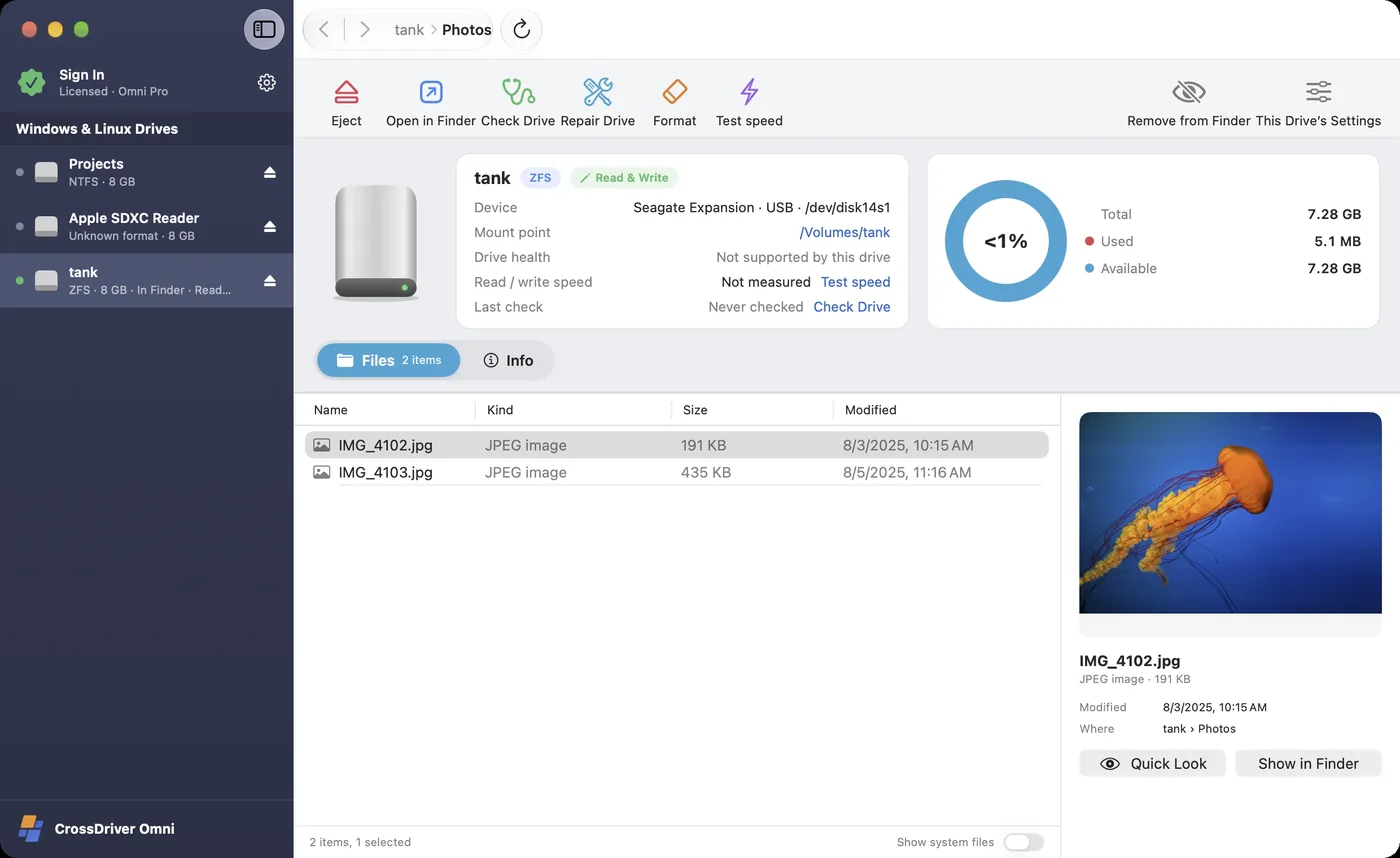
CrossDriver Omni on a Mac: an XFS disk open in the app, with its files listed and a photo previewed
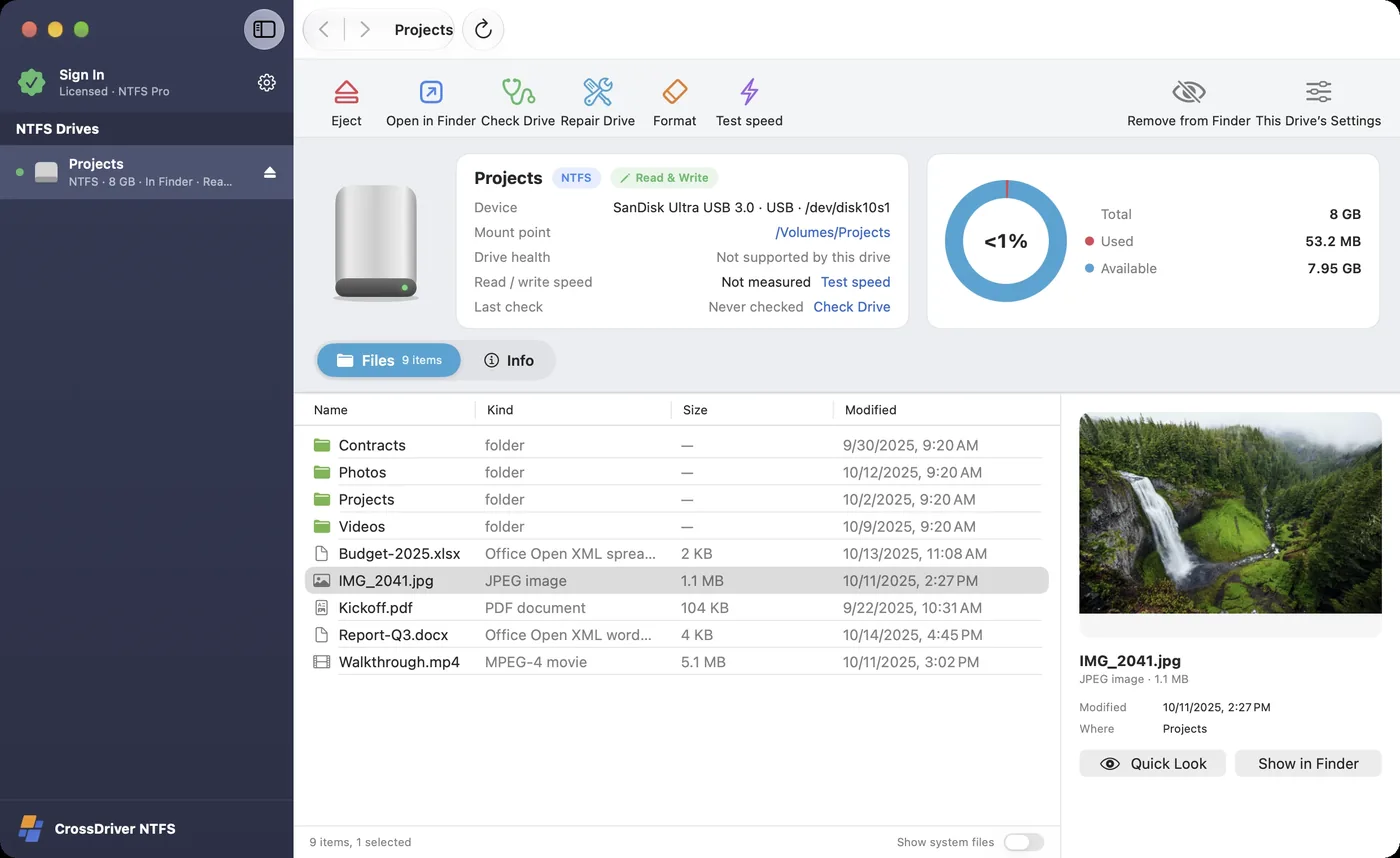
CrossDriver NTFS on a Mac: an NTFS disk open in the app, with its files listed and a photo previewed
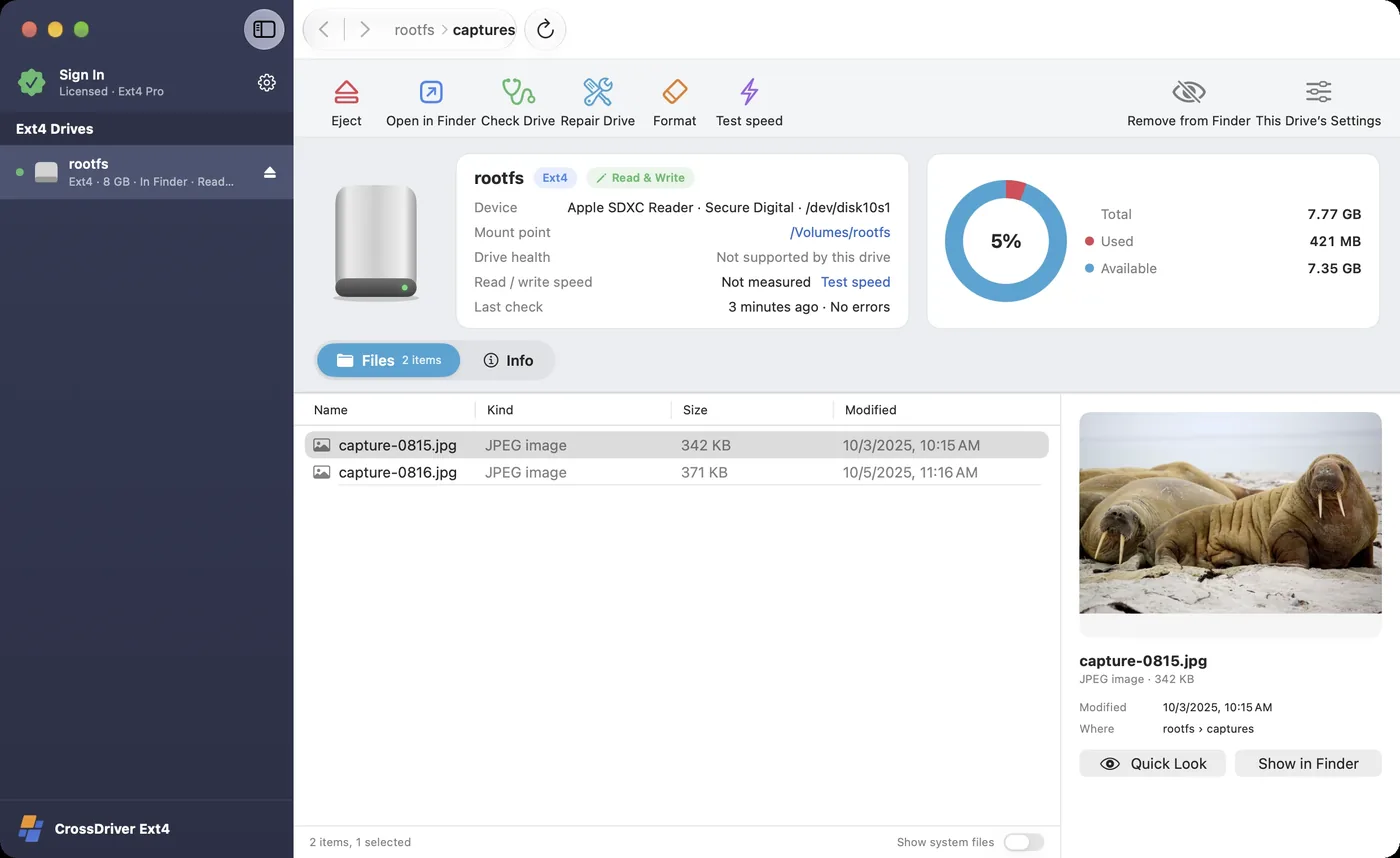
CrossDriver Ext4 on a Mac: an Ext4 memory card open in the app, with its files listed and a photo previewed
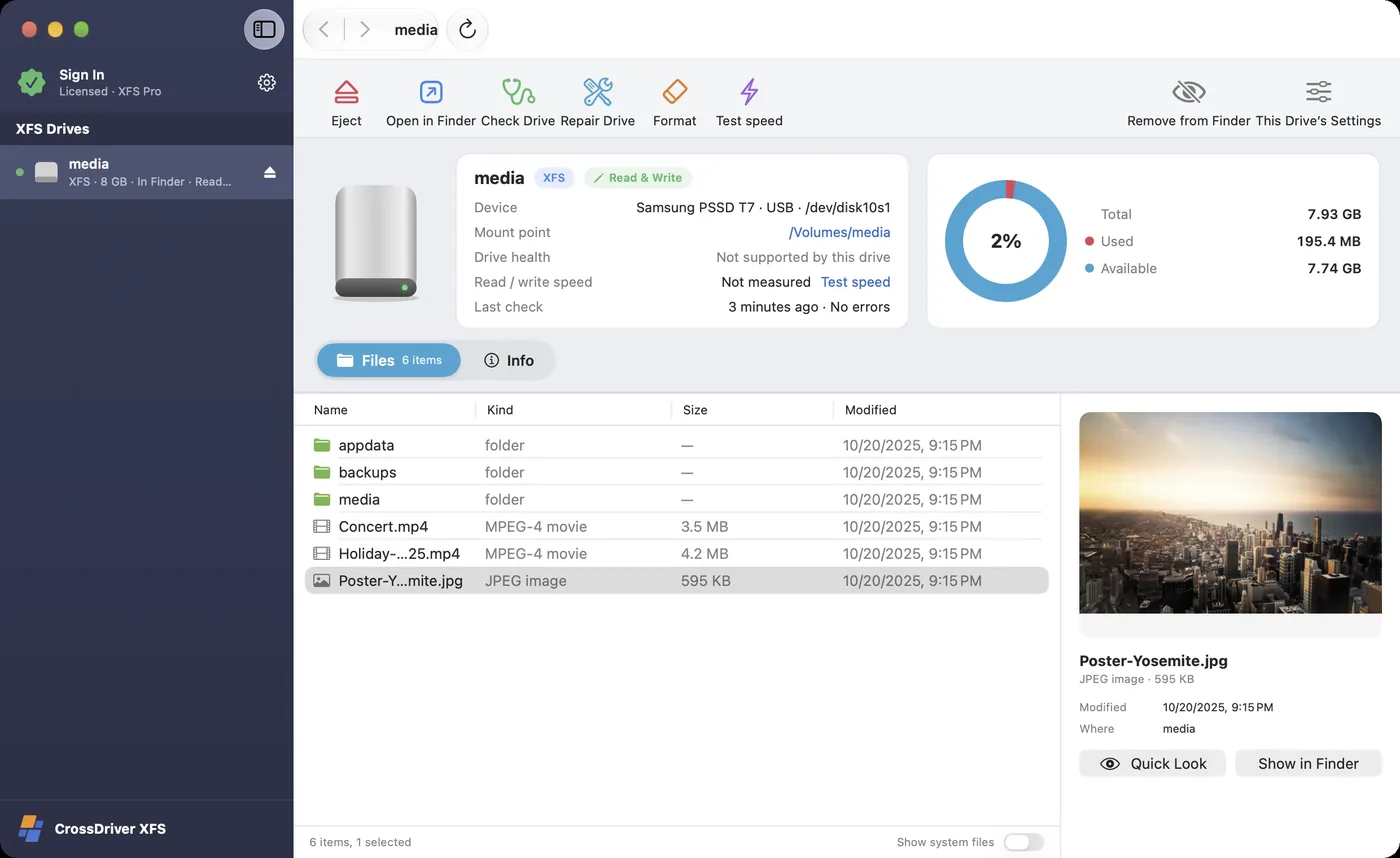
CrossDriver XFS on a Mac: an XFS disk open in the app, with its files listed and a photo previewed
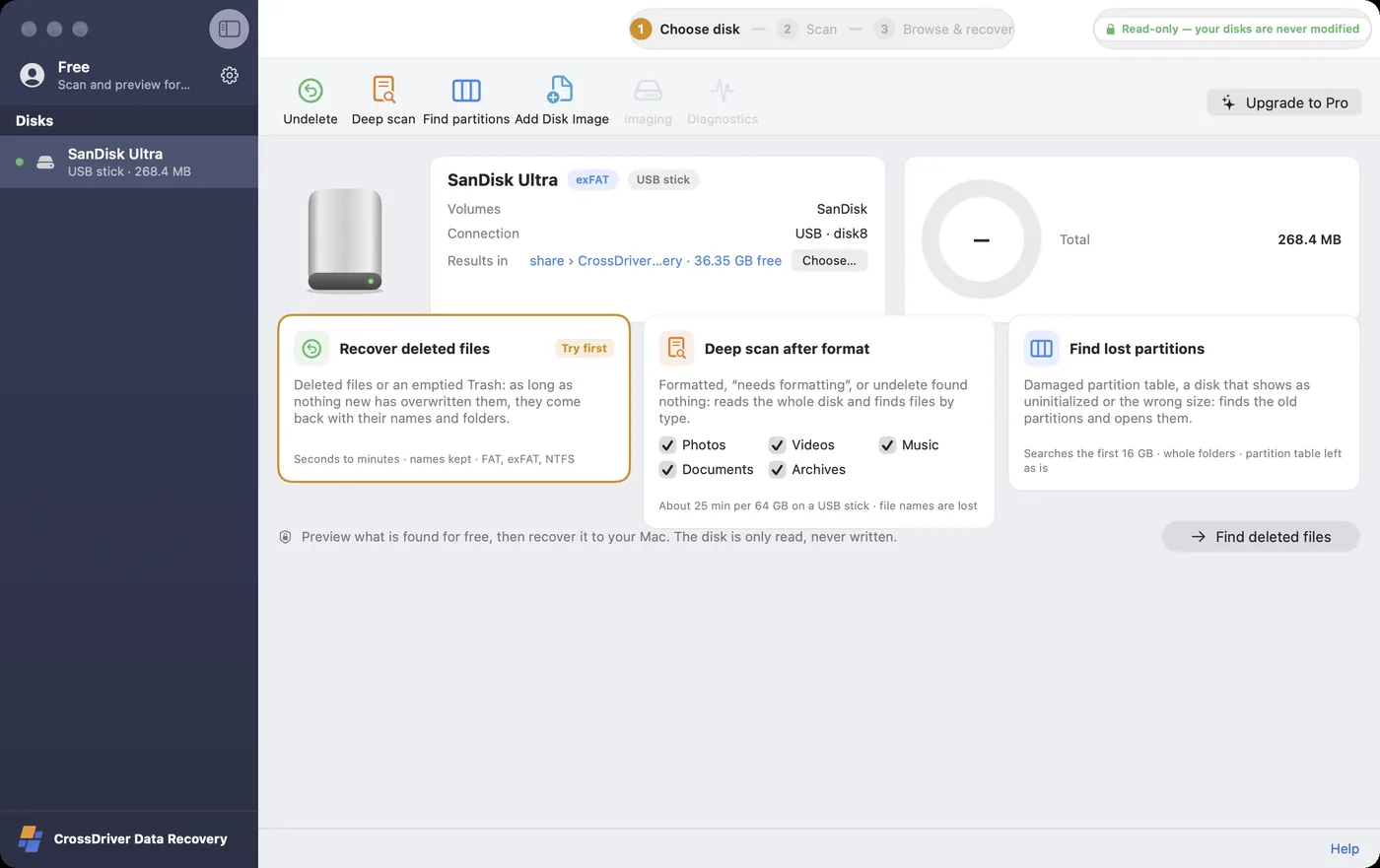
CrossDriver Data Recovery scanning an SD card for deleted files and lost partitions
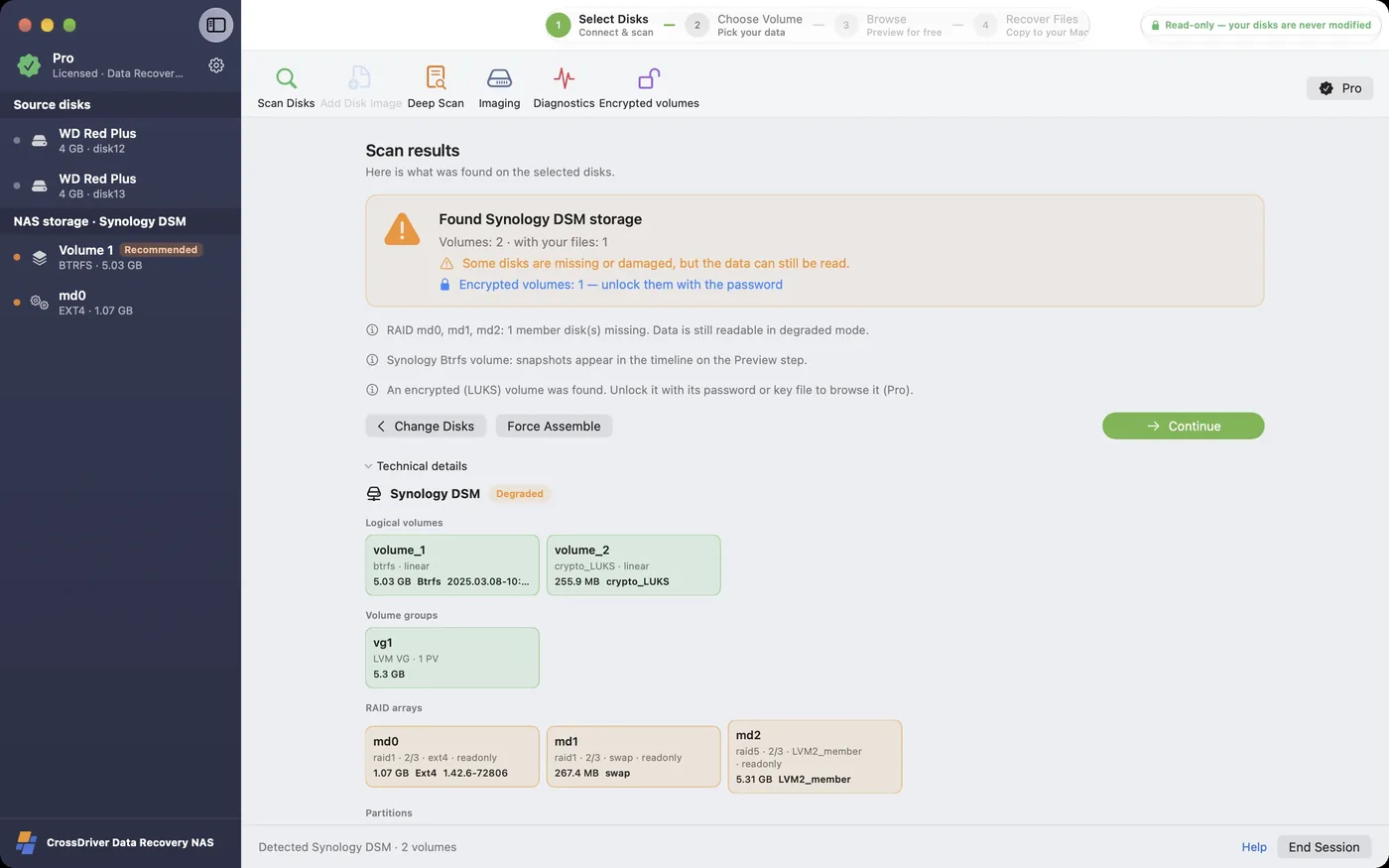
CrossDriver Data Recovery NAS reading the RAID storage pool of a Synology NAS, read-only
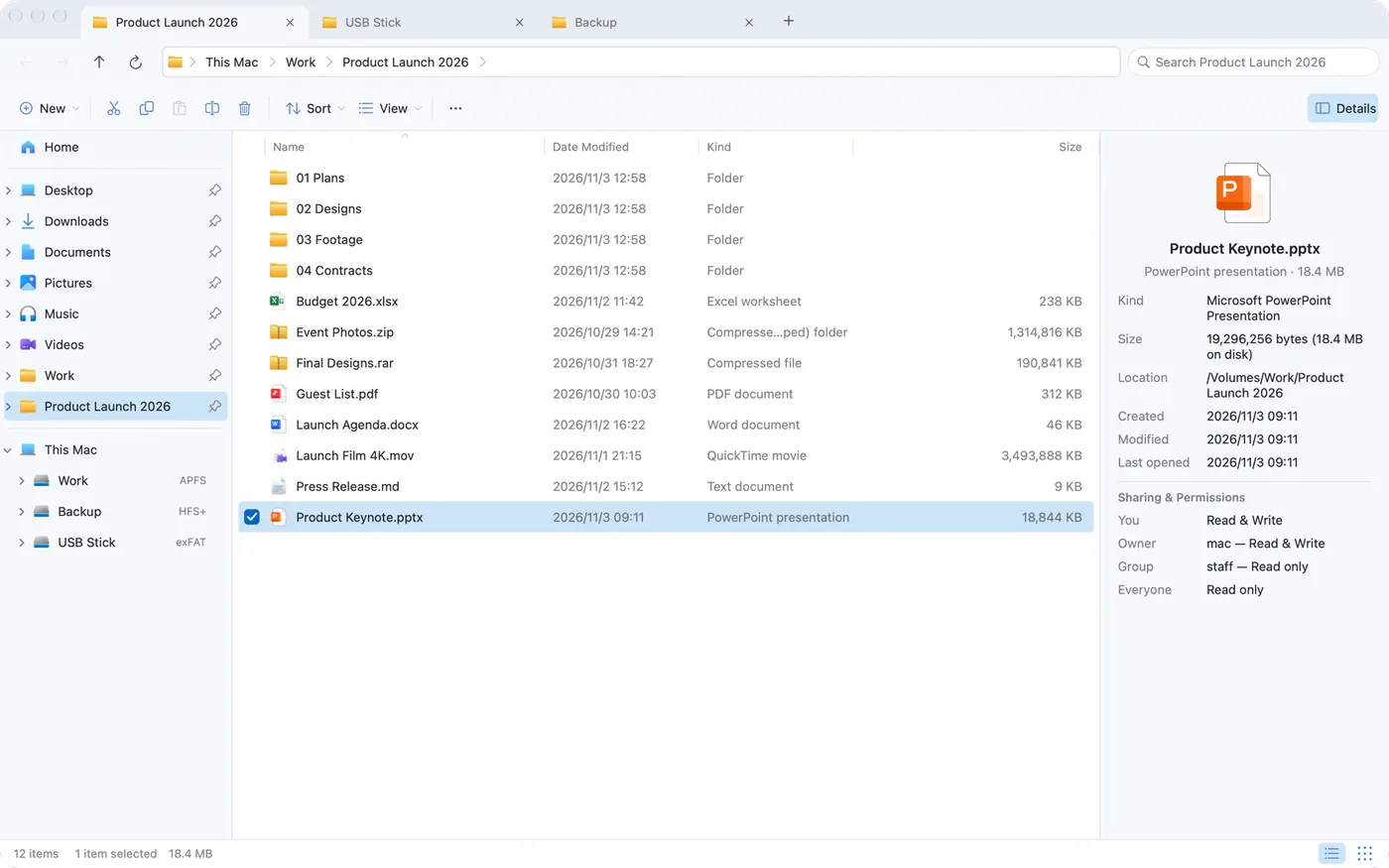
CrossDriver Files on a Mac: a Windows 11 style file manager with tabs and a navigation pane
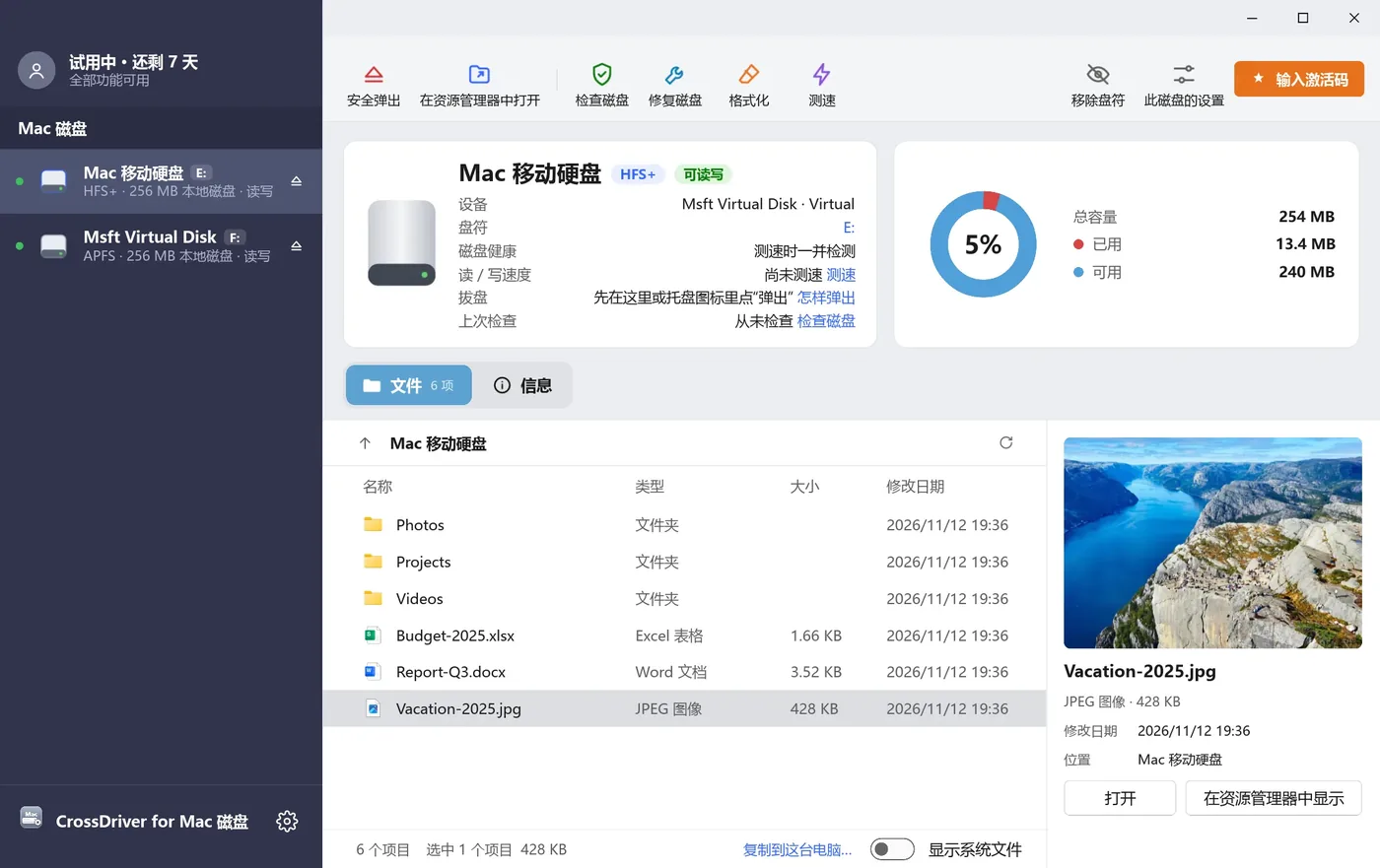
CrossDriver for Mac Disks on a Windows PC, with an HFS+ Mac disk open
The family

16 products across Mac, Windows and Linux

Run apps, read and write disks, recover data, manage files: a tool for each job, and every one is free to download.

CrossDriver Run

Mac version available · Linux version coming soon

Run your Windows apps right on Mac and Linux

No virtual machine, no Windows license, no spare Windows PC. Drag in the installer and you're done: your app sits in the Dock and switches with ⌘Tab like any Mac app.

  • No Windows to buy
  • No tens of GB of disk
  • Apps open in about 2 seconds
  • Apple silicon and Intel

Every Pro feature is free during the preview, until December 31, 2026 · macOS 12 or later · Apple silicon and Intel · About the Linux version →


CrossDriver Run with the Office suite installed

For Windows

Mac, Linux and NAS drives, open right on your Windows PC

CrossDriver for Windows is five apps: Mac APFS external drives and Time Machine backups, Raspberry Pi Ext4 cards, XFS and Btrfs server disks all open in File Explorer like ordinary drives — and deleted or formatted files on USB sticks, SD cards and external drives, or the drives of a dead NAS, can be recovered read-only.

For Windows →
CrossDriver Omni on Windows with a Raspberry Pi Ext4 memory card open

CrossDriver Files Free

Windows 11 File Explorer, at home on your Mac

Tabs, the navigation pane, an address bar you can click or type into, the Windows 11 context menu — and F2, Delete and Ctrl+Z exactly where your fingers expect them.

Free Download → Learn more →
CrossDriver Files on a Mac: a Windows 11 style file manager with tabs and a navigation pane
Disk tools
New generation · No kernel extension · Native on Apple silicon & Intel

Windows, Linux and NAS drives, open right on your Mac

CrossDriver is a set of Mac disk tools: NTFS external drives and USB sticks, Raspberry Pi Ext4 cards, XFS server disks, and drives from a dead NAS all open on your Mac like ordinary disks — and deleted or formatted files on USB sticks, SD cards and external drives can be recovered. See your files for free first, then decide whether to upgrade.

No kernel extensionNo security downgradeNo restartFree browsing & preview

Windows edition · Five apps · x64 & ARM64 supported

Mac, Linux and NAS drives, open right on your Windows PC

CrossDriver for Windows is five apps: Mac APFS external drives and Time Machine backups, Raspberry Pi Ext4 cards, XFS and Btrfs server disks all open in File Explorer like ordinary drives — and deleted or formatted files on USB sticks, SD cards and external drives, or the drives of a dead NAS, can be recovered read-only.

No kernel driverWorks on Windows 10 / 11 HomeFree browsing & preview

Kernel Edition

NTFS For Mac

A native NTFS kernel driver, built for maximum read and write speed.

NTFSNative kernel driver

US$29.95 USD · Lifetime license

Kernel Edition

Ext4 For MAC

A native Ext4 kernel driver, built for maximum read and write speed.

Ext2Ext3Ext4Native kernel driver

US$59.95 USD · Lifetime license

Kernel Edition

XFS For MAC

A native XFS kernel driver, built for maximum read and write speed.

XFSNative kernel driver

US$59.95 USD · Lifetime license

NTFS, Ext4 and XFS each come in two editions

New generation

New generation · install and go

No kernel extension, no change to macOS security, no restart. The free edition already browses and previews; Pro adds repair, formatting and encrypted-disk unlock.

One license covers both editions
Kernel Edition

Kernel Edition · built for maximum speed

A native kernel driver that runs inside the macOS kernel, for work that needs the highest read and write speed or must use a native driver. Macs with Apple silicon need a change to the system security setting.

Which one should I choose? Only use one format? Get that edition. Run into several? Get Omni. NAS died? Get Data Recovery NAS. Deleted or formatted a USB stick or SD card? Get Data Recovery. Only Mac disks or only Linux disks? Get that app. Both? Get Omni. Deleted or formatted a USB stick or SD card? Get Data Recovery. NAS died? Get Data Recovery NAS.
Next-gen engine

No kernel extensions.
No changes to your Mac's security settings.

No kernel driver — it runs on Windows' built-in Virtual Machine Platform

The new CrossDriver reads and writes NTFS, Ext4, XFS and other disks with native Linux file system drivers, running inside an isolated, lightweight Linux environment. Your Mac stays at its factory security level.

CrossDriver reads and writes Mac and Linux disks with native Linux file system drivers inside an isolated, lightweight Linux virtual machine, and hands the volumes to File Explorer as drive letters.

Works right after install

No Recovery mode, no lowering security, no restart — and no broken drivers after a macOS update.

A dedicated engine for your disk

The engine only sees the disk you open, fully isolated from macOS and your other disks.

Everything's written before you unplug

When you click "Eject", the engine writes all changes back to the disk before releasing it, so unplugging won't lose data.

All editions require macOS 12 or later and run natively on Apple silicon and Intel.

System requirements: Windows 10 version 2004 or later, or Windows 11; x64 and ARM64. Home edition works too.

Free and Pro

Free does a lot. Pro finishes the job.

Every app has a free edition with no time limit. Upgrade to Pro when you need to write, repair, or recover without limits.

Disk tools · Mac
NTFS · Ext4 · XFS · Omni FreeUS$0No time limit RecommendedProLifetime license from US$29.957-day free trial first
Detects and opens the disk automatically Included Included
Browse folders, preview photos, videos and documents Included Included
Copy files to your Mac Included Included
Check the disk Included Included
Use it in Finder Read-only Read and write, from every app
Encrypted disks (BitLocker, LUKS) Not included Read and write
Repair the file system Not included Included
Format disks Not included Included
Open in Finder as soon as it is plugged in Not included Included
Free Download Buy Pro
Disk tools · Windows
for Mac Disks · for Linux Disks · Omni FreeUS$0No time limit RecommendedProLifetime license from US$29.957-day free trial first
Detects and opens Mac and Linux disks automatically Included Included
Browse folders, preview photos, videos and documents Included Included
Copy files to your PC Included Included
Browse Time Machine backups by date Included Included
Use it in File Explorer Read-only Read and write Ext4, XFS, Btrfs and other Linux formats
Encrypted disks (LUKS, encrypted APFS) Not included Read and write LUKS
Repair the file system Not included Included
Format disks Not included Included
Restore files from Time Machine to your PC Not included Included
Free Download Buy Pro
Pricing

Every app is free to use — upgrade when you need to write or recover

Disk tools

Bought on crossdriver.com. NTFS, Ext4, XFS and Omni Pro can be tried free for 7 days in the app.

Bought on crossdriver.com. CrossDriver for Mac Disks, CrossDriver for Linux Disks and Omni Pro can be tried free for 7 days in the app.

AppLifetime license1 year1 monthBuy Pro
CrossDriver NTFS US$29.95 US$69.95 US$19.95 US$9.95 Buy Pro
CrossDriver Ext4 US$59.95 US$139.95 US$39.95 US$19.95 Buy Pro
CrossDriver XFS US$59.95 US$139.95 US$39.95 US$19.95 Buy Pro
CrossDriver Data Recovery US$49.95 US$29.95 US$19.95 Buy Pro
CrossDriver Data Recovery NAS US$69.95 US$39.95 — Buy Pro
AppLifetime license1 year1 monthBuy Pro
CrossDriver for Mac Disks US$29.95 US$19.95 US$9.95 Buy Pro
CrossDriver for Linux Disks US$29.95 US$19.95 US$9.95 Buy Pro
CrossDriver Data Recovery US$39.95 US$24.95 US$14.95 Buy Pro
CrossDriver Data Recovery NAS US$59.95 US$34.95 — Buy Pro

NTFS, Ext4 and XFS share their license with the Kernel Edition: on the same Mac you can use both the Kernel Edition and the new generation.

Each license covers 1 Mac and can be deactivated in the App and moved to another Mac — no account needed. Each code can be moved to another computer 3 times on your own; after that, contact support. Once activated it works offline: the App goes online once every 30 days to renew the license automatically (no payment involved), with a further 14-day grace period when offline. A lifetime license includes free updates to all future versions of this App, including major versions; 1-year and 1-month licenses are never charged automatically — the App reminds you to renew before they expire. After-sales and refund policy.

Full pricing and feature comparison →

CrossDriver Run Preview

Free for personal use, Pro for work

  • Free — Personal, non-commercial use · free forever
  • Pro — For work, or for lots of apps · prices announced at release

Every Pro feature is free during the preview, until December 31, 2026

CrossDriver Run pricing and editions →

CrossDriver Files Free

Windows 11 File Explorer, at home on your Mac

Free Download →
About CrossDriver

Software for users around the world

CrossDriver Limited has worked on cross-system storage and compatibility since 2006. The website, the apps and support come in 16 languages, serving users in more than 50 countries and regions.

20+
years of engineering
16
products
50+
countries and regions served
16
languages
20 years

Deep cross-system expertise

Cross-system storage and compatibility, and nothing else, since 2006.

All formats

Mainstream disk formats, covered by one brand

NTFS on Windows, APFS and HFS+ on Mac, Ext4, XFS, Btrfs and ZFS on Linux: switch computers and your disk still opens. BitLocker and LUKS encrypted drives can be unlocked too.

Untouched

Your system untouched, your disk unharmed

The new generation needs no kernel extension and leaves your Mac at its factory security level; data recovery never writes anything to the original disk.

Lifetime

Buy once, free upgrades for life

A lifetime license includes every future version, major releases too.

Visit in your language

Buying & support

Buy with confidence — we're here if you need us

Try free, then decide

Every app is free to download, browse and preview — see your own files before you decide to upgrade.

No account needed

Your activation code appears on the page as soon as you pay; paste it into the app to activate.

After-sales & refunds

Refund conditions and how to request one are in our after-sales and refund policy — have a look before you buy.

After-sales and refund policy →

Technical Support

Questions about installing, activating or using an app? E-mail us or browse the Support Center.

support@crossdriver.com · Support Center →
What can the free version do?

Disk tools, Data Recovery, Run and Files all have a free version with no time limit:
· Disk tools (new generation and Windows edition): detect and open disks automatically, browse every folder, preview photos, videos and documents, and copy files to your computer; writing, repair and formatting are Pro, with a 7-day free trial first.
· Data Recovery: scanning, browsing and previewing every file found are free, and you can recover 500 MB free (2 GB after sharing).
· Data Recovery NAS: detect your NAS and read out the storage pool for free, and browse every folder and snapshot with preview.
· CrossDriver Run: free forever for personal, non-commercial use.
· CrossDriver Files: completely free.

How do I activate after buying? What if I change computers?

After payment, the page shows a 32-character activation code; leave an e-mail address and we send you a copy as well. On the app's upgrade page, click “Enter Activation Code” and paste it — no account needed. To move to a new computer, deactivate in the app on the old one, then enter the same code on the new one. After reinstalling your system, click “Restore Purchase” in the app to get your license back. Each code can be moved to another computer 3 times on your own; after that, contact support.

Do I pay again for upgrades with a lifetime license?

No. A lifetime license includes free updates to all future versions of the same App, including major versions. Only a separately released new App needs to be bought separately.

CrossDriver Run · Do I need to buy Windows?

No. You only need the installer and license of the app you want to run, such as your Office product key.

Try free, then decide

Every app is free to download, browse and preview — see your own files before you decide to upgrade.